
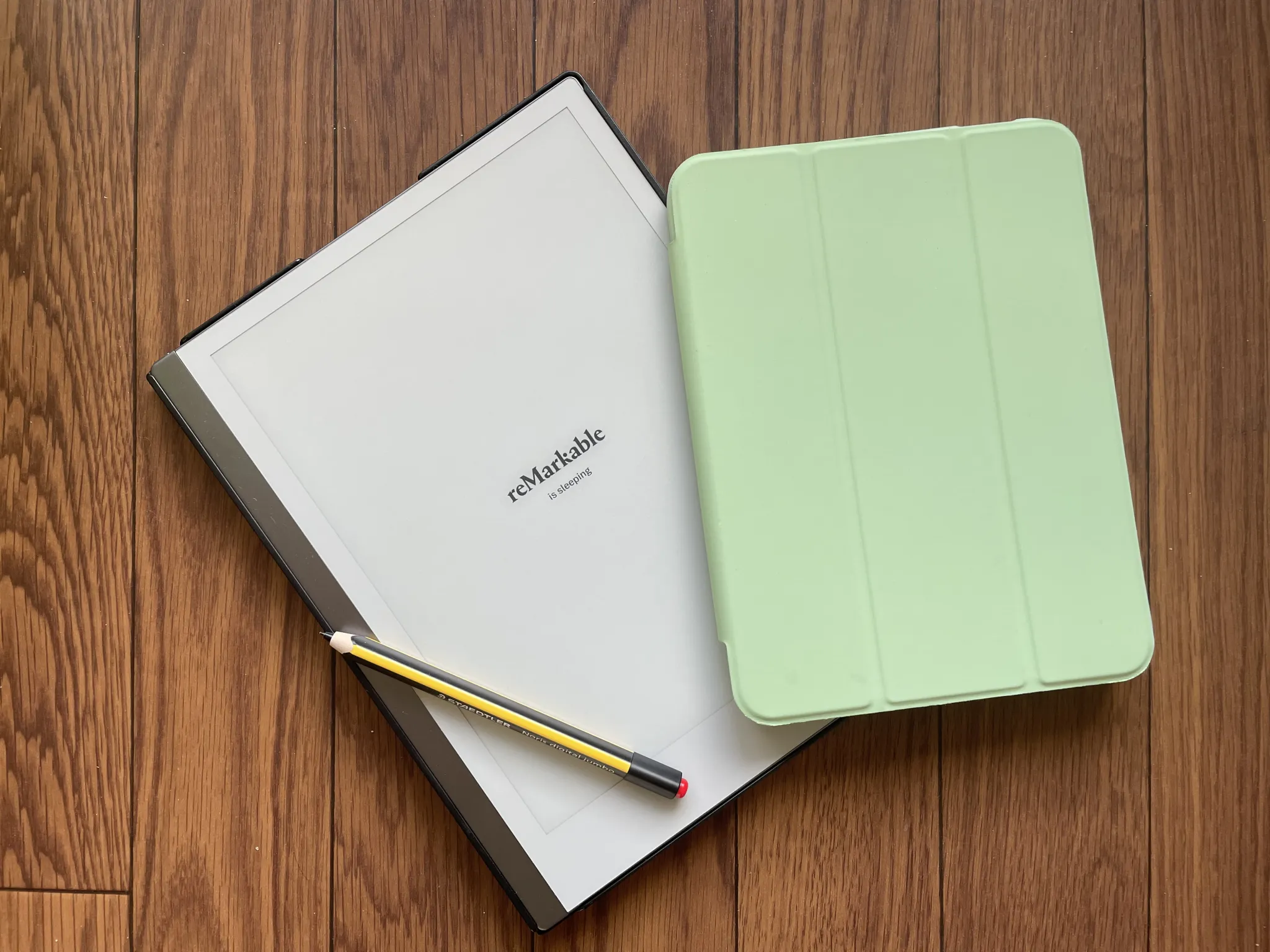
The idea of a paperless course of study is certainly more widespread today than it was when I began my studies. In recent years, the “paper tablet” reMarkable has attracted particular attention with its promise of coming as close as possible to the feeling of writing on paper. Already owning an iPad (Mini), I kept eyeing the reMarkable and eventually decided to give the paper tablet a try.
After nearly a month with the reMarkable, I’d like to share a few first impressions that emerged from directly comparing the two devices. Here and there I take small thematic detours meant to provide context, so please bear with me. If any questions or wishes for further testing remain, I’d be happy to hear your feedback!
My Setup
I currently work with an Apple MacBook Air, an iPad Mini, and the newest addition: the reMarkable. That’s a sizeable setup, and certainly not representative of every student’s reality. During my bachelor’s studies, I worked exclusively with a fairly simple Windows PC and notebooks; a tablet would have been just as out of the question for me as a laptop. So through these first impressions I’m not offering a universally valid purchase recommendation, but rather a kind of subjective experience report.
The All-Rounder: iPad Mini
The iPad was certainly the device that turned my studies and my learning completely upside down, in a good way. At the start of my first semester in the master’s program, I got the chance to take over an old iPad, which I tested extensively throughout my studies. After thorough testing, I later switched to the iPad Mini for its compact size. Today I use the iPad for almost everything: lecture and presentation notes (GoodNotes; free alternative: Notability), reading / proofreading / editing academic texts (LiquidText; free alternative: Notability), as a mobile alternative to common office solutions (Excel, Word, PowerPoint), Zettelkasten notes (Obsidian), learning vocabulary (Anki), and dictionary lookups (Yomiwa), to name just a few. This has the enormous advantage — especially for train commuters like me — of hardly ever having to spend classic waiting time idle and being able to work productively at any moment (and, as a nice side effect, it spares my back on longer stretches spent standing).
The Paper Tablet: reMarkable
Ever since starting my doctorate, I had been eyeing the reMarkable, which only found its way to the Japanese market with quite a delay. But what drew me to it when I was already so happy with the iPad? The iPad, it should be said upfront, is an irreplaceable companion for me. So the question was never whether the reMarkable could replace the iPad for me, but only whether it could complement my work with the iPad and thereby enrich my entire way of working. After all, the reMarkable (although its makers repeatedly emphasize various features geared toward personal organization, these aim more at replacing an analog notebook than the common all-rounder tablets) doesn’t even try to keep up with the features of all-rounder tablets — quite the opposite, it claims that its simplicity enables especially focused work. I have to admit this argument hasn’t convinced me much so far. My iPad hardly has any apps that could distract me, and if I were ever worried about being distracted by an incoming email, I’d probably just switch on airplane mode beforehand. (For those who find it particularly hard to stay focused, that may be a more appealing selling point than it is for me.)
The second unique selling point, however — the claim of being able to write as if on paper — was exactly what appealed to me. The admittedly rather individual situation of pursuing my doctorate largely from Japan while based in Germany meant that I no longer commuted to the university daily, but worked more often at my own desk. As usual, I used the iPad to write notes; despite a paper-like screen protector, which is highly recommended especially for reading texts, a pleasant writing feel never quite materialized.
The Direct Comparison
The Basics
At roughly 400 g, the reMarkable 2 is overall more than 100 g heavier than the current iPad Mini (but also 100 g lighter than the current iPad). Both devices charge via USB-C. At 10.3″, the reMarkable’s display is about as large as the current iPad’s, but around 2 inches larger than the iPad Mini’s, making it, in my view, already fairly large for a portable device. Since the two displays target quite different needs, I’ll refrain here from comparing them in terms of resolution and similar parameters. Both devices are sold without accessories by default, though these can be added at checkout.
Price
I was lucky enough to acquire the reMarkable for about €280 thanks to a favorable exchange rate. The regular price currently stands at €350. It was delivered within a week, packaged largely in cardboard with as little plastic as possible. I skipped the reMarkable case (€160) and the matching pen (between €80 and €130) in favor of cheaper alternatives (case and pen). Anyone buying the tablet, case, and pen as a bundle currently pays around €580. With its glass display, the reMarkable feels just as well built as the iPad.
The current iPad Mini, at just under €600 (without accessories), is by far the more expensive investment. The 2nd-generation Apple Pencil, at around €100, is another necessary cost. I tested a few cheaper alternatives, but unfortunately they work rather clunkily.
Syncing
I put the reMarkable to its first real test while working on an article. The purchase includes a one-year free subscription to the sync feature, allowing PDF files to be synced across devices via app. I have to admit I wasn’t thrilled about the idea of installing yet another app across various devices. So it’s not surprising that I probably won’t continue the subscription once the free period ends. Anyone living within the Apple universe will be used to how easily files can be shared across devices. But even those using Android, Windows, and Apple can share and edit files without issue via various cloud services.
Reading
For PDFs, the reMarkable offers the charming feature of recognizing handwritten markings and converting them into standard PDF annotations. Comments could also be drawn directly onto the PDF without any issues. The reading experience is roughly comparable to that of a Kindle (or other common e-book readers) and is thus a touch more pleasant than the iPad, though a paper-like screen protector at least gets you a decent result there too. For the iPad, I mostly use the app LiquidText, which offers extensive features (mind mapping, workspaces, simultaneously scanning and editing multiple documents), though it has also become more error-prone in recent years: the sync feature and markings have at times made me rather unhappy.
When reading academic texts, I habitually work with color codes. That’s only partly possible with the reMarkable. While the paper tablet does offer a color palette, it’s fairly limited, and switching between colors is somewhat cumbersome. Anyone whose reading gets by largely without color codes, working instead with single-color annotations and markings, is certainly well served by the reMarkable.
Notes
Both the iPad and the reMarkable include handwriting recognition for notes. The reMarkable’s handwriting recognition, however, requires a Wi-Fi connection. In my test, this worked equally well for both devices in German and English. The reMarkable apparently doesn’t yet offer Japanese handwriting recognition, whereas the iPad (tested with GoodNotes) could flawlessly decipher my Japanese handwriting too, thanks to automatic language detection.
The writing feel on the reMarkable is noticeably softer and thus more pleasant than on the iPad; at first glance, though, the reMarkable’s handwriting rendering takes some getting used to, since it imitates the irregularities of an actual pen. The iPad (tested with GoodNotes), on the other hand, renders extremely even handwriting, which is surely preferable if the handwritten notes are meant to be reused as such.
Both tablets also offer a search function for notes. While the iPad (tested with GoodNotes) searches all notes across all notebooks, the reMarkable’s search function apparently only works on one level at a time (either as a top-level search by note/PDF title, or as a search for text within a single file).
Lifespan
Apple products are often said to have a short lifespan, making a higher-priced purchase seem less worthwhile. In fact, I’ve been using my iPad Mini for 5 years now without any noticeable wear. The only thing worth questioning is battery longevity, since after a few updates my iPad started draining within a few hours even when unused. In my case, though, that turned out to be related to changed system settings. After disabling background refresh for all apps, the iPad has held up admirably! (About 3% battery loss after 24 hours of non-use.) When working with computationally intensive apps, the iPad drains accordingly faster, so a charging cable and power bank are definitely advisable when out and about.
The reMarkable has a noticeably longer battery life. In fact, over the past few weeks I’ve only had to charge it twice. One somewhat unusual quirk is that with Wi-Fi enabled, the reMarkable won’t charge past 97%. Turning Wi-Fi off gets you one percent further, to 98%.
My Current Workflow
So how do I actually use both devices in my daily workflow? I have to admit that for reading, the iPad has clearly come out on top for me — especially when I’m reading a lot of texts in a short amount of time. Besides syncing, that may also be because I’m already used to annotating with color codes (alongside comments) and can quickly get an overview that way. Still, I could generally imagine the reMarkable being usable for reading as well.
Notes are a different story: whereas at first I could hardly tell any real difference between the writing feel of the reMarkable and the iPad, the differences became more and more apparent with continued use. Especially for creative steps like brainstorming and other visual methods, but also for notes in general, I really like the reMarkable!
While I found it less useful for reading academic texts, the reMarkable is quite charming for individual shorter texts (editing my own articles/subsections, or proofreading/correcting term papers), since here I rely less on my color codes and instead work more directly on the text itself — commenting immediately, adding marginal notes, and using proofreading marks.
In concrete terms, for writing my contribution to an edited volume, that meant: while I put together a literature overview on my computer and read and annotated it on the iPad during the reception of the texts, I was able to put the reMarkable to good use specifically during the production of the text. Both translating poetry and editing the first parts of the manuscript worked wonderfully on the reMarkable. In fact, it was also the mental separation — which is presumably part of the freedom from distraction described above — that made the process easier. For me, though, that freedom from distraction lay less in not feeling disturbed by other notifications, apps, and so on, and much more in the physical process of writing itself: especially for creative steps, the natural writing feel has a positive effect in that the physical act of writing all but fades from awareness, allowing full focus to rest on the idea as a creative process.
For anyone wanting to work digitally with a large volume of texts, I can only recommend the reMarkable to a limited extent — at least based on my own way of working. Besides the more cumbersome multi-color markings, it also seems somewhat effortful to transfer the files back into cloud storage (or literature and citation databases like Zotero). Those who can do without such tools and color markings might still find it interesting, though. In my view, the reMarkable really becomes exciting for creative processes, text production, and editing.
Accordingly, I would initially advise undergraduate students against the reMarkable, unless their financial situation allows for the purchase anyway. This applies especially if the course of study primarily requires reading a large number of different texts that also need to be revisited later. But anyone who isn’t bothered by a somewhat cumbersome syncing process, and for whom handwritten annotations on texts are enough, can certainly enjoy the reMarkable. For (early-career) researchers who increasingly write or correct term papers, author their own contributions, and whose focus is shifting from mere reading toward text production — and creative work on the text as well — the reMarkable may well be an environmentally friendly asset!